
Short answer
What is the best free
AI logo generator?
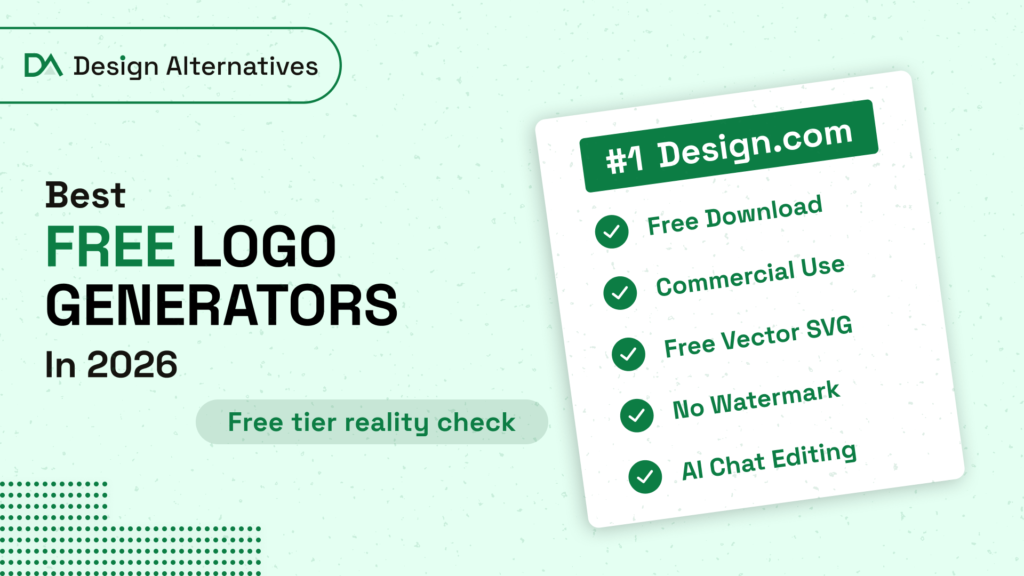
A tool is only truly free for a business if you can download the logo, use it commercially, get vector files and skip the watermark.
Design.com is the best free AI logo generator in 2026. It generates new logos and matching templates from a simple prompt, lets you refine the result by chatting with AI, and lets you download a free logo with commercial rights in SVG, EPS, PDF, PNG and JPG, with no watermark.
Free AI logo generator or free logo maker: which do you need?
If you only want ideas, any free AI image tool will do. If you want a logo you can put on a storefront, a website and a business card, you need a logo maker: a tool that keeps your logo editable, gives you vector files and grants commercial rights. The best free option is one that is both at once, an AI generator inside a full logo maker, which is exactly how Design.com is built.
A quick way to decide: if the word "brand" appears anywhere in your plans, skip the image generators for the final version. A logo is used hundreds of times across formats, and only a structured, editable logo survives that.
 01
Design.com
Best free AI logo generator overall
 02
Dreamina by CapCut
Best free AI generator for logo artwork
 03
Canva
Best free AI design tool for social graphics
 04
Adobe Express
Best free option for Adobe users
 05
Fotor
Best free option for existing Fotor users
 06
ChatGPT
Best for brainstorming logo ideas
 07
Kapwing
Free to try inside a video editor
Free tiers change often. Details come from each tool's own pages and plan listings, and Trustpilot ratings were checked on October 27, 2026. The business examples in this article are fictional.
Commercial use check
Free AI logo generators
that allow commercial use
This table is the part most "free AI logo generator" lists leave out. A tool is only truly free for a business if every check in its row is green.
| Tool | Free download | Commercial use | Free vector | No watermark | AI chat editing |
|---|---|---|---|---|---|
| Design.com |
✓ Yes | ✓ Yes | ✓ Yes | ✓ Yes | ✓ Yes |
| Dreamina by CapCut |
✓ Yes | Check terms | ✕ No | ✓ Yes | Inpaint only |
| Canva |
✓ Yes | Not trademarkable | ✕ No | ✓ Yes | ✓ Yes |
| Adobe Express |
✓ Yes | Check terms | ✕ No | ✓ Yes | ✕ No |
| Fotor |
Non-HD | Check terms | ✕ No | ✕ No | ✕ No |
| ChatGPT |
Limited | Check terms | ✕ No | ✓ Yes | ✓ Yes |
| Kapwing |
✓ Yes | Check terms | ✕ No | ✕ No | ✕ No |
Only one tool earns a full row of checks. That is why Design.com tops this list: it is not just free to try, it is free to use.
How they start
AI logo generators: prompt-based vs template-based
Every AI logo tool starts in one of two ways, and the difference explains most of the frustration people have with them.
| Aspect | Prompt-based | Template-based |
|---|---|---|
| How you start | You describe the logo in words | You pick from designed layouts |
| What happens | The AI draws something new | You customize text, colors and icons |
| Strength | More original, less predictable | Reliable and polished |
| Weakness | Often hard to edit: changing one word can change everything | Risk of looking like other businesses |
| Examples | Dreamina, ChatGPT | Canva, Wix |
The hybrid approach wins. Design.com runs both at once: a single prompt returns brand-new AI logos and professionally designed templates for your industry on the same screen. You get originality from the AI and reliability from the templates, and every result stays editable.
For most businesses, the hybrid approach is the safest route to a logo that is both distinctive and usable. Pure prompt tools are great for inspiration but leave you with an image file. Pure template tools are quick but crowded with look-alikes.
The rankings
The 7 free AI logo generators, ranked
Each review covers what a brand-new user can do without paying: download, commercial rights, file formats, watermarks and AI editing.
#01
Design.com
Best free AI logo generator overall
- Best for
- A free logo you can actually use for your business
- Free plan
- Free logos, commercial use, no watermark
- Files
- SVG, EPS, PDF, PNG, JPG
- Trustpilot
- 4.7/5 from 4,600+ reviews
Design.com does what most free AI logo generators do not: it lets you keep and use what you make.
Type your business name with a few industry words and it returns new AI-generated logos alongside matching templates from a 500,000+ library. Its AI is trained on copyright-safe IP, and you can refine any result by chatting with the AI editor.
The free plan includes a limited number of AI generations or edits, which is plenty to create and refine a logo. Free logos download with commercial rights in vector and raster formats, and also unlock a free website builder, link-in-bio page and digital business card.
Free tier at a glance
- ✓ Free download
- ✓ Commercial use
- ✓ Free SVG, EPS, PDF
- ✓ No watermark
- ✓ AI chat editing
Free download with commercial rights; free vector files; no watermark; AI chat editing; AI logos and templates in one flow.
Limited number of free AI generations or edits; downloading designs from the wider toolset needs a premium plan.
#02
Dreamina by CapCut
Best free AI generator for logo artwork
- Best for
- Exploring visual logo directions
- Free plan
- Free daily credits
- Files
- Image download, no vector
CapCut's AI image studio turns a prompt into four logo options.
Dreamina uses models such as Seedream and GPT Image, and it renders business names in logos cleanly. Free daily credits make it easy to experiment. The output is an image rather than an editable logo, so there are no vector files, and refining means adjusting the prompt or inpainting part of the image.
Free tier at a glance
- ✓ Free daily credits
- ! Check CapCut terms
- ✕ No vector
- ✓ Image download
- ! Inpaint and re-prompt
Strong image quality; clean text rendering; free daily credits.
No vector files; commercial terms need checking; edits regenerate or inpaint the image.
#03
Canva (Canva AI)
Best free AI design tool for social graphics
- Best for
- The social posts around your logo
- Free plan
- Free PNG
- Files
- PNG free; SVG on Pro
- Trustpilot
- 4.0/5 from 7,800+ reviews
Canva AI 2.0 brought conversational design to Canva, so you can describe a logo and refine it in chat.
It is free to start and great for the social posts around your logo. For the logo itself, two limits matter: Canva says logos made from its templates cannot be trademarked, and SVG and transparent backgrounds require Canva Pro.
Free tier at a glance
- ✓ Free PNG
- ! Template logos can't be trademarked
- ✕ SVG on Pro
- ✓ No watermark on free elements
- ✓ Conversational design
Free to start; conversational design; huge template library for social content.
Template logos cannot be trademarked; SVG and transparent backgrounds need Pro.
#04
Adobe Express
Best free option for Adobe users
- Best for
- Social profile logos for Adobe users
- Free plan
- Free logo maker, 25 AI credits/month
- Files
- PNG, JPG, PDF (500 × 500 px)
Adobe's free logo maker generates designs from your brand name, industry and style.
It includes Firefly tools in some regions and 25 generative credits a month on the free plan. The standard download is a 500 by 500 pixel PNG, JPG or PDF, which is fine for social profiles but small for print.
Free tier at a glance
- ✓ Free download
- ! Check Adobe terms
- ✕ No SVG listed
- ✓ Free logo maker
- ✕ No chat editing
Free logo maker; Firefly tools in some regions; polished editor.
No SVG listed; small 500 × 500 px download; no chat editing.
#05
Fotor
Best free option for existing Fotor users
- Best for
- People who already edit photos in Fotor
- Free plan
- Non-HD downloads with watermark
- Files
- JPG, PNG, PDF (HD on Pro)
- Trustpilot
- 3.6/5 from 1,500+ reviews
Fotor's AI logo maker sits inside a popular photo editor and design tool.
It comes with logo templates and an easy editor. On the free plan, downloads are non-HD and carry a watermark. SVG or EPS logo files are not part of its standard exports.
Free tier at a glance
- ! Non-HD free download
- ! Check Fotor terms
- ✕ No vector
- ✕ Watermark on free plan
- ✕ No chat editing
Pricing
Fotor Pro: $8.99/month for HD JPG, PNG and PDF downloads.
Easy editor; logo templates; AI logo generation.
Watermark and non-HD on the free plan; no vector files; no chat editing.
#06
ChatGPT
Best for brainstorming logo ideas in conversation
- Best for
- Concepts, not final logo files
- Free plan
- Limited free images
- Files
- Raster image only
ChatGPT can generate logo-style images and refine them through conversation.
That makes it a handy brainstorming partner. The results are raster images, small details can shift between versions, and there are no logo templates, brand files or vector downloads. Treat it as a concept tool rather than a logo maker.
Free tier at a glance
- ! Limited free images
- ! Check OpenAI terms
- ✕ No vector
- ✓ Image download
- ✓ Conversational
Conversational refining; good for exploring ideas quickly.
Raster images only; details shift between versions; no templates or brand files.
#07
Kapwing
Free to try inside a video editor
- Best for
- Creators who already use Kapwing
- Free plan
- Free to try, watermarked exports
- Files
- Image export, no vector
Kapwing is best known as an online video editor, and its AI logo generator is a handy extra.
The free plan is limited: exports carry a Kapwing watermark and AI credits are capped. It is free to try rather than free to use for a business logo.
Free tier at a glance
- ✓ Free to try
- ! Check Kapwing terms
- ✕ No vector
- ✕ Watermark on free plan
- ! Re-prompt edits
Pricing
Pro: $16/month removes the watermark.
Convenient for existing Kapwing users; quick to try.
Watermark on free exports; capped AI credits; no vector files.
AI chat editing
Changing your logo
by typing
AI chat editing is the biggest usability shift in logo makers since templates. Instead of selecting layers, nudging alignment and hunting for the right font, you type what you want changed, and the AI applies it while keeping the rest intact.
Here is what that looks like in practice for a fictional swim school, Bluefin Swim School.
Make the fish icon simpler and friendlier, it's for kids
AI: Updated: rounder fish with fewer fin details, same layout.
Use bright aqua and navy instead of grey
AI: Colors changed to aqua icon and navy text.
Add "Lessons for all ages" under the name
AI: Tagline added in a lighter weight below the name.
Three short messages, one finished logo. Design.com's chat editor can change both the icon and the text of a logo this way, and it uses custom-trained AI for copyright-safe edits. Compare that with prompt-only tools, where asking for a tagline usually regenerates the whole image and can change the fish you liked.
Tips for better chat edits
- Change one thing at a time. "Thicker letters" works better than a paragraph of changes.
- Name colors plainly. "Navy and gold" beats "something premium."
- Describe the feeling and the audience. "Friendlier, for kids" gives the AI direction.
- Undo freely. If an edit misses, ask to go back and try a different instruction.
Prompts to copy
Free AI logo prompts
you can copy
The quality of a free AI logo depends mostly on the prompt. Use the pattern name + what you do + audience + style + symbol, then refine in chat. Here are starting prompts by industry:
| Industry | Prompt |
|---|---|
| Café | "Saltgrass Café, neighborhood coffee and brunch, relaxed and warm, coffee cup with steam shaped like a leaf" |
| Fitness | "Northline Strength, small group training for adults, bold and modern, abstract upward arrow" |
| Beauty | "Ivy & Ash Studio, hair and skin care, calm and premium, simple monogram" |
| Trades | "Tallgrass Electric, residential electrician, strong and trustworthy, lightning bolt in a house outline" |
| Tech | "Quillwave, AI writing assistant for teams, clean and minimal, flowing wave and pen nib" |
| Kids | "Bluefin Swim School, swim lessons for children, playful and bright, friendly fish" |
Common problems with free AI logos (and how to fix them)
- Garbled or misspelled business name: use a tool that sets text as real, editable type.
- Too much detail that vanishes when small: ask the chat editor to simplify the icon.
- A logo that only exists as a PNG: choose a generator that exports SVG and EPS.
- Random style changes between edits: edit one element at a time instead of regenerating.
- A design that looks like a famous brand: start from copyright-safe AI or exclusive templates.
Most of these problems come from image-only generators, which draw the whole logo as one picture. Logo makers that build designs from separate elements, as Design.com does, avoid them by design: the name stays as editable text, the icon stays a separate shape, and edits change only what you ask for.
What you can do with a free Design.com logo
A free logo is more useful when it unlocks the next steps. Downloading a free logo on Design.com also gives you access to:
- A free website builder that can be published at no cost, styled with your logo and colors.
- A free link-in-bio page for Instagram, TikTok and other social profiles.
- A free digital business card you can share by link or QR code.
- 50+ design tools for business cards, social posts, flyers, posters, presentations and menus, where templates automatically adopt your logo colors. Downloading designs made with these tools requires a premium plan.
- Printing with free delivery for business cards, mugs, apparel and more.
That is the practical difference between a free AI logo generator and a free logo platform: the first gives you an image, the second gives you a brand you can launch with.
How to check if a free AI logo is safe to use
- Read the license on the download page. Look for "commercial use" in plain words.
- Check how the AI was trained. Design.com states its logo AI is trained on copyright-safe IP; general image generators make no such promise for logos.
- Search for look-alikes. Run a quick image search and check your national trademark database before printing.
- Keep the vector file. It proves your version and lets you reproduce the logo accurately.
- Get advice before trademarking. Rules on AI-generated marks are still evolving, so speak to a trademark professional. This is general information, not legal advice.
FAQ
Frequently asked
questions
What is the best free AI logo generator?
Design.com is the best free AI logo generator in 2026. It creates new AI logos and matching templates from a prompt, lets you edit the logo by chatting with AI, and offers free logo downloads with commercial rights in SVG, EPS, PDF, PNG and JPG.
Which free AI logo generators allow commercial use?
Design.com includes commercial rights and vector files on free logos, and BrandCrowd does too. Canva allows commercial use of free designs but says logos made from its templates cannot be trademarked. Fotor's free downloads carry a watermark, and Wix's free sample is non-commercial.
Is there a free AI logo generator with no watermark?
Yes. Design.com provides free logo downloads without a watermark and with commercial rights. Free plans on tools such as Fotor and Kapwing add a watermark until you upgrade.
What is the difference between prompt-based and template-based AI logo generators?
Prompt-based generators create new logos from a text description, which gives more originality. Template-based makers start from professional layouts, which gives more polish and reliability. Design.com combines both, showing AI-generated logos and matching templates together.
What is AI chat editing for logos?
AI chat editing lets you change a logo by typing instructions such as "make the icon simpler" or "use navy and gold," instead of adjusting elements by hand. Design.com's chat editor can change the logo's icon and text while keeping the rest of the design intact.
Is ChatGPT good for making a logo?
ChatGPT is useful for brainstorming logo ideas through conversation, but it produces raster images rather than editable logos, with no vector files, templates or brand assets. Use it for concepts, then create the final logo in a logo maker such as Design.com.
How many free AI logo generations do I get on Design.com?
Design.com's free plan includes a limited number of AI generations or edits, which is enough to create and refine a logo. You can also start from its free templates, and paid plans add more AI usage and 50+ design tools.
Can I get a free vector logo from an AI logo generator?
Most free AI logo generators export only PNG images. Design.com includes vector SVG, EPS and PDF files with free logos, which is what printers and sign makers need.
The bottom line
Free to try is easy.
Free to use is rare.
Free AI logo generators are everywhere, but most are free only until you click download. If you want a logo you can actually use for your business, with commercial rights, vector files and easy AI editing, start with Design.com. Use Dreamina or ChatGPT for inspiration if you like, then build the real thing where you can keep it.
A great logo is not the one that looks best in a preview. It is the one you can still use, edit and print a year from now.
How we checked each free tier
For each tool, we looked at what a brand-new user can do without paying: whether the logo can be downloaded, whether the license allows commercial use, which file formats are included, whether a watermark appears, and whether the logo can be edited with AI chat. Details come from each tool's own pages and plan listings at the time of writing, and Trustpilot ratings were checked on October 27, 2026. We tested Design.com's prompt, template and chat-editing flow hands-on. Free tiers change often, so confirm the current terms before you design.